Automatically batch print and batch convert to PDF a wide range of Windows documents including PDF, DOC, HTM, XLS, JPG, BMP, TIF and many more.
Automatically batch print and batch convert a wide range of Windows documents including PDF, DOC, HTM, XLS, JPG, BMP, TIF and many more.
FEATURES:
Automatically batch prints any number of documents on any local or networked printer.
Batch prints documents to file.
Automatically batch converts certain documents to PDF (requires Adobe PDFWriter or Adobe PDF printer driver).
Can be configured to load balance documents between multiple printers (SilentPrint Office PLUS, Pro and Server only).
Watched (Hot) folders that are monitored by SilentPrint can be configured to batch print or convert to PDF specific or all documents.
Mask feature enables only documents with particular names to be processed.
Processes documents, shortcuts to documents or Job files containing a list of documents.
Processes certain documents itself so third-party applications are not required.
Suspend and resume batch printing and conversion to PDF at anytime.
Operates 'silently' - all you see is the SilentPrint icon in the Windows Taskbar tray.
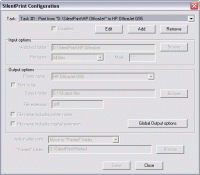
Simple and intuitive setup and operation. Once configured using it's configuration dialog it can simply be left to automatically batch print or batch convert to PDF.
Create multiple Tasks so different document sources and print destinations can be defined to meet your exact batch processing requirements.
Further advanced features enabled and disabled using simple configuration file parameters.
Command line parameters provided for SilentPrint automation.
Can be configured to treat numeric document extensions as any supported document.
Processed documents can be moved to the Windows Recycle Bin, to a "printed" folder or permanently deleted.
Log file entry created for every document SilentPrint processes. Whats new in version 2.82: General Fixes / Enhancements Requirements: Certain applications are required in order to print particular documents Operating system: Win2000,Win7 x32,WinServer,WinVista,WinXP Release notes: Minor Update
Print Helper is the ideal solution for batch printing and conversion Excel, PDF, Word image and other files. Unique features: automatic Excel, Image resizing; mulipage TIFF, FTP client; MS Publisher and batch ZIP support. Free download.
Price: $149.99, Rating: 9.89, Downloads: 196 Download
PrintMonitor is a perfect software tool for print devices management. It is used as a monitoring and statistics gathering software system for large organizations, printing businesses and internet cafes.
Price: $119, Rating: 8.2, Downloads: 188 Download
On This Day in History (Day You Were Born, Married, Christened etc.) Software has been developed for the UK (England, Northern Ireland, Scotland and Wales), USA and Australian markets and covers every day from the year 1900 to the present day
Price: $30, Rating: 6, Downloads: 174 Download
Checks that your default printer is the one you want and not that one in the Business Centre where you were working yesterday, so the confidential report you are about to print need not be read by all your colleagues or competitors.
Price: $14.95, Rating: 5, Downloads: 163 Download
This utility lets you know the paper size, printable area size and all margins in pixels, millimeters and inches for any of
your printers.
Those may be very important parameters if you want to get the most out of your printer!
Price: $0, Rating: 9, Downloads: 158 Download
User Rating
Rating:2.2 out of
5 Based on13 ratings.
13 user reviews.

 SilentPrint - Batch Printing Software 2.82 details